Mostrando entradas con la etiqueta gadgets. Mostrar todas las entradas

sábado, 9 de enero de 2021

outdoor/sport apps, smatwatches and openSource

A quick revision of opensource outdoor options 

(as 202304, more info and pictures are coming soon)

Index:

bangle.js smartwatch
bangle.js2 smartwatch
Bluetooth Heart Rate Monitor (bangle.js2)
Bluetooth Heart Rate Monitor (Lite)(bthrmlite)
BLE GATT HRM Service (bangle.js, 2)
GPS recorder (bangle.js, 2)
Bangle run (bangle.js, 2)
Route viewer (bangle.js)
Fitotrack (android)
Opentracks (android)
OSMand (android)
Runnerup (android)
AAT(android)
Strava(android/web - commercial)
Wikiloc (android/web - commercial)
OruxMaps (android/web - commercial)


bangle.js (smartwatch)

Unfortunately there are not many smartwatches focused in opensource apps, and less having GPS functions.

So if you want to use opensource in your watch during your activities you have to assume some limitations and wait or help for community improvements.

  • Heat rate function, is really unreliable, and it seems a problem of the sensor hardware, so even if software can reject weird measures there is not much hope.
  • GPS, seems reliable enough, and battery last long with it tracking
  • Apps, there are couple of good apps that are receiving support, see below. 
  • Support, besides other you can be part of the community and the solution.


bangle.js2 (smartwatch)

  • GPS and a Heat rate sensor more acqurate than bangle.js1 one.

Bluetooth Heart Rate Monitor (bangle.js2)

 App id: bthrm

Overrides the usage of the internal HR sensor with an external Bluetooth  

Settings: 

1) Mode=Default - Replaces internal HRM with BT HRM and falls back to internal HRM if no valid measurements received. 

2) Search for sensor

3) Open app?

4) see values on widget (widhrm,...

Not compatible with "Heart Rate Monitor(hrm)"

Bluetooth Heart Rate Monitor (Lite)(bthrmlite)

 Old version, and lightweight without configuration and the recommended for Bangle.js1

BLE GATT HRM Service (bootgatthrm)

 A GATT HRM Service to advertise the measured HRM over BLE. Compatible with Opentracks and Fitotrack.  Detected but not working with Runnerup and AAT


GPS recorder (bangle.js, 2)

Opinion: It is a very reliable app+widget that can work in background, so you can use other functions during the activity, and when completed the track can be exported in a standard format to other apps.

The look and feel is very old school, just text without icons, and the menus can be managed only through buttons. 

Tips:

Using OpenStreetMap from web apploader you can upload a map/tiles and this map can be displayed in the background of the track.

As getting a valid GPS signal takes quite long, and you require it to start tracking, from web apploader use the app "Assisted GPS Update (AGPS)" to download satellite info for a day (8kB) or a week (46kB).


Missing functions: 

  • Follow a track. I mean functions to import a track, display the track in screen and track a new one over it (in a different color)
  • Use of touch screen, i.e change of screen by sliding movement  
  • A Graphical dashboard, showing summary and enabling pause in friendly and quickly way.

Import/export:

internal file format:

timestamp,latitude,longitude,altitude    (but more attributes can be added to be logged , such as  HR, HR(bluetooth) ,HR int or steps.

Export format: (from apps loader page): .KML , .GPX 

Tip: exporting from Android's Chrome, then the downloaded track file can be open with some apps.


RUN (bangle.js)  RUN+

Opinion: the user interface is based in a single screen managed only by buttons, and it can track your activity including lot of precision and heart rate

But the worst (hopefully it will be corrected soon)is that the apps is not available as widget so can't work on background and the tracking has too much precision (and not necessary) so the output file grows too much.

As curiosity this app is not written in basic Javascript but TypeScript that after "compiled" generates a obfuscated Javascript, for developers maybe it is not important but for other can be an additional step.

Missing functions: 

  • Run in background 
  • A parameter to define the time between tracking points
  • Display a track or statistics
  • Use of touch screen, i.e change of screen by sliding movement 

Import/export:

internal file format:

timestamp,latitude,longitude,altitude,duration,distance,heartrate,steps
1602954919045,38.418089,-0.x09480,36.88,0,0.65,104,1

 Export format (from apps loader page): .KML , .GPX 


Route viewer (bangle.js)

Opinion: it allows to display map  and/or a track in the screen and your current GPS position over it. Also it shows distance an a direction arrow.

 Is not a standard Javascript app, but a realtime generated app+map track. From the apps loader web you load a .KML and the result is uploaded as bangle.js app

Missing functions:

  • zoom function is missing 
  • a single a app able to open different tracks/maps
  • Direct access to track files in memory from banglerun or GPSrecorder

Import/export: import .KML


Fitotrack (android, FOSS)

Opinion: A good app for sports and well supported, has voice notifications to inform about pace, etc...

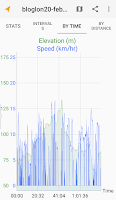
Supports external heart rate sensor(fails with decathlon BLE and not paired devices?) and can display sections/intervals, elevation/speed graphs

Missing functions: 
  • Text notifications that other apps can process and send to smartbands/watches 

Import/export:

Export:  GPX


Opentracks (android, FOSS) 

"+OSM Dashboard por Opentracks"

Opinion: a  good tracking app with a easy an intuitive and complete dashboard.

To be able display the activity in a map it requires to install "OSM Dashboard por Opentracks" (another small opensource app) and from opentracks "show on map" and select "OpenTracks Dashboard API", and button "Always".

Advanced functions, as voice notifications, Interoperability with BLE devices: Heart rate (chest strap or watch), cadence, power, speed, and wheel size

It shows intervals, elevation/speed graphs and has voice

The Dashboard with the default layout shows many information fields, and can be customized.

Missing/Concerns:

-Permission: "Location always", is not being used, so it can stop tracking with saving mode or lossing the foreground

Import/export:

Export:  GPX, KML,KMZ, KMZ(inc photos)
@fdroid


OSMand (android, FOSS)

Opinion: though focused in navigation, it has tracking function and many options and features, such as following a previous track.

Require more learning and adaptation than other tracking apps, but the potential is incredible.  

Import/export: .GPX

@fdroid


Runnerup (android, FOSS)


Functions: Workouts and intervals, audio notifications, Laps, Map(using version from Play), sensors (ANT+, BLE), upload activity to some social networks

There are versions that can run in old in Android4(usually lighter and smaller)

Missing functions: 

  • Display the map during the exercise tracking.
  • Text notifications that other apps can process and send to smartbands/watches 

  Import/export: 

Export to: database, .GPX .TCX

Import: only from database

@fdroid


AAT (android)

An activity tracker, with a good UI but that can require more time to get used, for example the dashboard is called "Cockpit"

Activity: preconfiguration (autopause, recording filter, backlight,..)

cockpitA: fullscreen stats (HR in a smaller font size),map, graph

cockpitB: splited screen stats/map,  stats are in a smaller font size)

Advanced functions, through touch on topleft/bottom (cockpitB screen) or bottom(cockpitA map screen)

Support/Functions:  online Maps(several ones)/offline maps, BLE sensors,...

Import/export: .GPX

@fdroid

Missing functions: 

  • HR limits and warning notifications


Strava(android/web - commercial)

It is not opensource but if you want share your activities with friends probably they use it.

Fortunately you can use other apps during the activity and just upload to share with others.

Import/export:

Import/Export: .TCX, .FIT or .GPX

Import from  http://www.strava.com/upload/select


Wikiloc (android/web - commercial)

An app/web especially useful to find and share tracks for different sports (like mountain paths), sometimes well described, classified and with pictures

The app can be used to track or follow a previously downloaded track, supports offline maps and has basic statistics for the activity.

Negative points, besides being commercial it has some dependencies on Google services, that is specially bad for devices without Play services (such as BlackBerry10  android runtime)

Import/export: app exports to .GPX


OruxMaps (android/web - commercial)

Powerful GPS app with plenty of functions, requires time to learn and get the best of it. Supports loading a track and tracking/following over it.

Import/export:  import .KML and .GPX

Export to   .GPX, .KML, .KMZ, .FIT, TCX, .CSV

Upload to: Strava and other services ...

miércoles, 30 de septiembre de 2020

Smartwatch research (Opensource, P8, BLE, bangle.js, Pinetime, espruino, .

(entry in contruction, check other Smartwatch entries)


Tools and software

From a mobile Phone

   With LightBlue(Android):  
     or nRFConnect


From  Windows computer
   or BluetoothLE Explorer or Bluetooth LE Lab(Windows):
   or nRFConnect


Configure
  Windows10. Other Devices (privacy)


Checking Model (i.e P8a)


   or BluetoothLE Explorer or Bluetooth LE Lab(Windows):

Identify  Device Information:
Hardware Revision (UTF8-String) : A130PW2.0
Software Revision (UTF8-String) :MOY-TFK5-1.7.7

Heart Rate Measurement (it readable, so activate from watch)
(HEX) : A130PW2.0
 67
16


Avoid BLE issues


Error reading the file

when using NrfToolbox you can select the app to pick the file (a file manager)

ES explorer has 2 modes, so if one fails the other can work.

"DFU File ...not found"

turn off other bluetooth devices (specially if they were pair before)

use a different phone that you have never pair

companion apps like d6notification or gadgetbridge can try to connect even if they seem closed

Error GATT ERROR  a

       keep trying,
       disable/enable phone's Bluetooth
       kill daflasher app
       uninstall BLE apps (d6notification)
       turn off phone or
       try "nRF Connect" app as an alternative to Daflasher, as it also can flash a DFU


jueves, 17 de septiembre de 2020

bangle.js 1 -opensource smartwatch


BJS1 Specs:  
  • Nordic 64MHz nRF52832 ARM Cortex-M4 processor with Bluetooth LE
  • 64kB RAM 512kB on-chip flash, 4MB external flash
  • 1.3 inch 240x240 16 bit LCD display with 2 zone touch (1+2=3rd zone)

Launcher0.04 Toucher
Settings 0.21
 
Apps:
 Gadgetbridge
 Vertical face clock (digital watchface)
 Flappy bird (game to test on screen left and right button areas)

Configuration:

Setting:locale
// Spain 1 winter time  2 summer time BLE

Setting:BLE
BLE=on
programmable=on

Setting;Select Clock (i.e Vertical watch face)

Connection 

It supports only a simultaneous connection, so you have to disconnect others.
If Gadgetbridge, IDE or Apps web BLE  can't find the BLE connection
Setting, turn off, press button1 to turn on


Web BLE Admin apps

https://banglejs.com/apps/  (chrome browser and enable flags)
 Connect, Pair,
 
"My Apps" tab, apps installed already in your bangle.js
 
https://www.espruino.com/ide/#


Gadgetbridge

Gadgetbridge: 0.47.0 (android)

Android, Settings, Sounds and notifications,Notification access: Gadgetbridge (enabled)

Android, Settings, Sounds and notifications,App notifications: whatsapp (allowed),....

Very limited features: just notifications, and find your watch


Upgrade firmware

 
It can be done from the phone with NrfToolBox, NrdfConnect, or Daflasher
1. enter watch in dev mode
2. connect app to the watch
3. flash DFU  (ZIP)
 
http://www.espruino.com/Bangle.js#firmware-updates
https://www.espruino.com/Download


Installing basic apps

https://banglejs.com/apps/
About, click on "Install default apps"
 
or install manually

Bootloader
Settings
 
My favorite apps:
Touch/toucher Launcher. Really recommended (horizontal sliding based in touchscreen, an entry per screen and options) 
Note: To replace a previously installed launcher, it is required to uninstall/remove previous Launcher.
 
(DANE Touch Launcher  is the same launcher with borders)

App manager
File manager
Vertical clock (above v00.6) (support and display other widgets, touchscreen)
Fullscreen Notifications
Gadgetbridge  (widget)
Alarms

Flappy Bird 
Clock-Tris 
GPS recorder (records a GPS track even with app running in background, can display previous recorded tracks)
 
My favourites Widgets: (always in top, if widget bar is loaded)
As widget bar space is limited, so select well widgets and its width

Bluetooth Widget (single spaces)
Digital clock widget (multiple spaces)
Battery Level Widget   (multiple spaces)
Simple Heart Rate widget (check hr when screen is on) (single spaces)


Default apps but I've replaced
Launcher (Default) (vertical menu with several entries per screen and movement by keys)
default apps
Default notifications (too small characters)

You can install in one step all default apps, from About: "Install default apps" see screenshot showing the 9 apps.


https://espruino.github.io/BangleApps  (includes development versions)


Widget Configuration
Setting, App Widget Settings
toucher(Touch Launcher): set resolution high (will display app version), remove animation

jueves, 3 de septiembre de 2020

flashing espruino+ninebot/eucWatch to a P8 smartwatch

Flashing espruino+eucWatch (formerly ninebot-one)

[updated]

P8 with ninebot/enaon+espruino

Intro: 
Espruino: is javascript engine ported to nrf52 and P8 (fanoush)
Ninebot-one (nb): is a watch software that besides time, has some additional functions, especially the one that originally gave name to the software, a "page" that displays info from a unicycle mobility device.
eucWatch: latest version and new name for the Ninebot-one software
ATCwatch: another software for P8 based in Arduino (see other articles of this blog)


Steps:

1) Flash bootloader
1.1) if you have Dafit/stock ROM
or 
1.2B) if you have ATCwatch installed on the P8  
2) Daflasher step
3) Espruino step (PC and Chrome)
Configuring/coding nb espruino:
Using nb/ninebot UI
  

From a browser download following apps from github
  • DaFitBootloader23Hacked.bin (A custom Bootloader using the preInstalled SoftDevice5.0.1)

If you start from p8 default status/Dafit stock then you have to install before the first 2 files.

 1) Flash bootloader

1.1) if you have Dafit/stock ROM 

 You must install before:
    DaFitBootloader23Hacked.bin
    FitbootloaderDFU2 zip 
(common steps with flashing ATCwatch)
 
On Daflasher
Select: P8 
(wait until button "Select File" is enabled)
Select File : DaFitBootloader23Hacked.bin
P8 screen [green screen, progress bar and end in 3 color squares]

Select: ATCdfu
Click button "Do DFU Update"
Selectfile: FitbootloaderDFU2 zip [check Use Nordic Bootloader]

(it can take a long time, fail several times during the process and recontinue from last %. But at the end it should complete flashing the file, speed is slow i.e 2,20kB/s)

  P8 screen    [red square and ATCnetz.de]


1.2) if you have ATCwatch installed on the P8

From p8 menu, Click "Bootloader"
  P8 screen    [red square and ATCnetz.de]


2) Daflasher step

At BLE devices list

Select: ATCdfu

Click button "Do DFU Update"
   [Checked box: Nordic bootloader]
   [Unchecked box: Toggle Bluetooth]
Select DFU file:  espruino_2v0x.xx_p8_SDK11_SD20.zip  

3) Espruino step (PC and Chrome)

(only tested on Windows) 

    Bluetooth has to be on
   "Connection Icon", "Web Bluetooth", P8 xxxx
   on left side terminal type:
             "require("Storage").eraseAll()"
 
  •  how to Flash /Upload "init" file   

Having  right side windows clear (empty of code)

Drag an drop "init" file to left side (

Click on Send to espruino arrow down icon, choose Upload destination, "Storage" , choose name ".bootrst"

 Click on ".bootrst"


  •   (optional) Edit "handler" file before upload 
Depending on P8 model, touch and accelerator controller can change
 
for example for a P8a/TFK5 set
      const touchtype="716" and acctype="BMA421"
 whereas a P8b can be a touchtype="716" or "816S" and acctype="SC7A20"
  • Upload files
[enter in DEV mode]
  type on the left side:     reset() ,   [press enter while holding the button on the p8]
 
>reset()

=undefined
Welcome!
*** DevMode ***
Short press the side button

to restart in WorkingMode

  •    Click on Storage/HD icon (Access files in device's storage),   "Upload a file":  handler, main, settings, calc,...
  (handler, main, settings, minimum files required for basic/testing)
  (euc file is not required, only for ninebot unicycle owners).


  • Verify/execute

Click on Storage/HD icon (Access files in device's storage), verify existence of files and .bootrst

short tap on the button, and it will boot to working mode

 On left side terminal, execute command "reset()" or "E.reboot()"  (last one reset the hardware and loose the time)

DEV mode: (required for future files upload)

Do a reset() while holding the p8 button

from Settings-info- long press in restart button


Configuring/coding nb espruino:

During file upload, time is set on espruino. However, depending on timezone  value for an attribute, the displayed time can be wrong.
 
file: init/.bootrst  (Now .bootcde)
E.setTimeZone(2);
// 3=default
// Spain 1 winter time  2 summer time 
 
file:handler
const touchtype="716"; //716 for P8a/TFK | 816|816s for P8b
 
(for models and hardware check a previous post)  
 
Upgrading espruino
Daflasher
Chose: p8
Click "Start bootloader"
p8 screen [redsquare]
DFU 
 
Upgrading n-b (ninebot) version or many files

Erase and start from scratch
 
require("Storage").eraseAll()
connect
 
require("Storage").compact()  [???]
init to .bootrst


Using nb/ninebot UI

reset() .The normal reset, command or from p8 screen, "INF" (settings-info) menu, long hold on reboot
E.reboot() , command or from p8  holding the button for~15 secs, it will kick the watchdog 
 
TOR=Torch
AL=Alarms (for timer, hold press and will set current time+10min)
CALC= Calculator
BRI=Bright
ACC=Accelerator/step counter
HID=control over bluetooth keyb/media
CLI=enable nordic serial (required by espruino IDE webIDE)
ATC=enable to sync with d6Notification android app (time, receive commands...)


Set time. 
from web IDE: upload an empty code to RAM
from d6: re/enable notification
BLE command: AT+DT=202008251300 (2020-Aug25th13:00)


type of events:
button,
long press button,
long press touch screen
Slide left/right/left touch screen
Slide up/down/up touch screen


viernes, 24 de julio de 2020

P8 usage + Phone companion/sync apps (dafit,d6...)

P8 smartwatch and companion apps 

(draft/post undercontruction)

D6 Notification (for atchwatch)


Install D6 notification
d6 notification

Select Device
   Add device  +
Allow location

Select Apps
    Clock
    Calendar
    Whatsapp
    Phone
    Messages


Dafit app

 Da fit(for default/stock ROM)

Da fit 2.0.0 (From MoFit (CRREPA) , Privative)
    Tracking map based in Google Maps

firewall and connections
    Permissions: Mandatory : Phone and Location
dafit storage
    TCP connections:
       (can be stopped by firewall,
                                       gmaps : mad01s24-in
                                       weather:media-router-fp-prod1    
                                       firm upgrade:
        )


dafit database
     Fitness Data:
         - It lacks of a export function, so you need backup.
         - Data can be backup with Titanium backup or oandbackup.
         - Data is associated to the phone/user and not to an specific watch, so you can add a new device, keeping the previous data.


watchfaces
   Main and editable watchface accepts 240x240 png files  

   Downloaded watchfaces
         are stored as .bin files
root://data/data/com.crrepa.band.dafit/files/crrepa/band/wf

         each has a preview image (png or bmp)
root://data/data/com.crrepa.band.dafit/files/crrepa/band/wf/preview

Main/custom photo watchface:
image:
root://data/data/com.crrepa.band.dafit/files/crrepa/band/customize/P8a/0.png


databases
root://data/data/com.crrepa.band.dafit/databases/crrepa-db

table: SUPPORT_WATCH_FACE
Field: WATCH_FACE_ID (i.e 181)
Field: WATCH_FACE_URL  (i.e .....71e35.bin) analogic
Field: PREVIEW_URL  (i.e .....55808.png)

Field: WATCH_FACE_ID (i.e 28)
Field: WATCH_FACE_URL  (i.e .....0215e.bin) digital
Field: PREVIEW_URL  (i.e .....cdaec.png)

Configuration
root://data/data/com.crrepa.band.dafit/shared_prefs/config.xml
  band_ui_style=1 (customizable image + customizable digital info)
  band_ui_style=4 (last downloaded WF)
  set_watch_face_layout =false (image + digital customizable)


Gadgetbridge (opensource, available at F-droid)

    not compatible yet :(

martes, 21 de julio de 2020

Flashing atcwatch and Stock(dafit) to P8 smartWatch


atcwatch menu

Flashing P8 - Daflasher (atcwatch and Stock)

Index
  • flashing atcwatch
  • flashing/restore the original P8 - stock dafit
    • flashing SD5
    • flashing the stock application (for dafit)
  • Common problems and solutions
  • Additional info/links
  • Glossary

 Intro:

OTA flashing process require to install and execute daflasher or nRFConnect app (available at Play)

[if you want to preserve you personal data from Dafit app, you can do a backup with android "oandbackup")

Note that:

Obvious, mobile requires to have BT enabled

If Dafit or other app to sync with smartbands are installed, they will be using the BLE connection so device will not be found, uninstall Dafit, and others such as D6notifications

flashing atcwatch

From a browser download following apps from github
  • DaFitBootloader23Hacked.bin (A custom Bootloader using the preInstalled SoftDevice5.0.1)
  • FitbootloaderDFU2 zip    (Soft Device 2)
  • ATCwatchP8.ino.zip
Daflasher app

Open daflasher app (* for  nrfConnect app see below )

Selectfile: DaFitBootloader23Hacked.bin
go back
Select: ATCdfu
Click button "Do DFU Update"
Selectfile: FitbootloaderDFU2 zip

  P8 screen    [red square and ATCnetz.de]

go twice back


Select: ATCdfu
Click button "Do DFU Update"
Atcwatch about
   [Checked box: Nordic bootloader]
   [Unchecked box: Toggle Bluetooth]
Select DFU file:  ATCwatchP8.ino.zip


flashing/restore the original P8 - stock dafit 

Intro:

Note that going back to Stock-Dafit disables the possibility of later OTA/BLE flashing. So no more easy way to flash experimental OS/ROM. You can still do it but it will require to open the back lid and connect a cable to pins)

You need to download  

  • SoftDevice: ATCdfuFromSD2toSD5.zip  (from atc1441 github page) 
  • The stock "firmware" application, you can try get the package from dafit upgrade function, and it will be .bin file of 1xxKB
  •  
Generate DFU package/nrfutil

Then you need to create DFU package containing the bin with nrfutil, a private key will be applied to the package. Though the previously downloaded SD5 will accept any possible key.

>nrfutil version  (nrfutil version 6.1.0 )

>nrfutil keys generate myprivate.key

 >nrfutil.exe pkg generate --hw-version 52 --application-version 1 --application MOY-TFK5-1.7.7.bin --sd-req 0x9D --key-file myprivate.key p8stock_tfk5.zip 

  --sd-req  softdevice FWIDs 

 --sd-req 0x9D = S132 v5.0.0S132 v5.0.0 (SD5 for stock TFK5-1.7.7)


flashing SD5

Select: ATCWatch

StartBootLoader
 P8 screen    [red square and ATCnetz.de]

Click button "Do DFU Update"
   [Checked box: Nordic bootloader]
   [Unchecked box: Toggle Bluetooth]
Select DFU file:ATCdfuFromSD2toSD5.zip


 P8 screen  [3 color squares and ATCnetz.de]


flashing the stock application (for dafit)

Select: ATCWatch
Do DFU Update
   [Checked box: Nordic bootloader]
   [Unchecked box: Toggle Bluetooth]
Select DFU file: p8stock_tfk5.zip  (3 files, inc .bin)


Common problems and solutions

  • Device is not found in BLE list
        turn off other BLE devices around
        stop or remove other apps that are using BLE connections
  • Progress percentage stop a some point, or it is is increasing in each attempt
      Do not panic and keep trying because to complete the flashing it can require several attempts, including restarting the P8 with a shortcut.
  • Error GATT ERROR  until success
       keep trying,
       disable/enable phone's Bluetooth
       kill daflasher app
       uninstall BLE apps (d6notification)
       turn off phone or
       try "nRF Connect" app as an alternative to Daflasher, as it also can flash a DFU 

  • Daflasher DFU FILE NOT FOUND
    • try with different file explorers
    • ES explorer (has 2 pick file 2modes), CXexplorer and Amaze
  • Reset the watch. requires to open the back lid, and create a Short in the battery, (during decs of a second) connect with metal both pins (+ and -)
  • Turn off the watch. It requires to open the back lid and unsolder the the red cable(+)

Additional info/links:

nrfConnect
select watch, Connect, DFU, ZIP
 
more info:
https://github.com/enaon/ninebot-one-nRF52/tree/master/p8-nb
https://github.com/fanoush/ds-d6/tree/master/espruino/DFU/P8 
https://github.com/atc1441/DaFlasherFiles

Glossary:

OTA On The Air
RSSI  Received Signal Strength Indicator
GATT Generic Attribute Profile
BLE Bluetooth Low Energy
DFU  Device Firmware Update
SD Soft device
precompiled and linked binary software implementing a wireless protocol developed by Nordic Semiconductor.
.ino.??
nb  ninebot (electric unicycle)


jueves, 18 de junio de 2020

Smartwatches, hack and opensource


P8 Smartwatch (based in RF52) 

Rebranding:Colmi, Makibes, utelite...
nRF52832 
ARM Cortex-M4, CPU with floating point unit running at 64 MHz
64KB de RAM, 512KB de RAM
Flash 4MB SPI (Serial Peripheral Interface) ¿NOR?  
240x240 color display.
170 mAh lithium polymer
 Normal/non rotated display 

Manufactured by: MoYoung/CRREPA 

strap:20mm


Stock firmware/ROM: MOY-XXXN-1.7.N
MOY=Moyoung (company)
XXX model can be normal or rotated display
 

Model ID Touch Accel Notes
P8, Pinetime TEH,TBH... Hynitron 00B40001 CST816S BMA421 best touch, S=200hz
P8a, Pinetime TFK,... Hynitron 00B40002 CST716S BMA421 worse touch, S=200hz
P8b TIN,... Hynitron 00B40002 CST716S SC7A20 (no step counter) worse touch, worse accel,S=200hz
More technical info
pinout: CLK=2,MOSI=3,MISO=4,CS=5


Alternative ROM

    ATCWatch (Arduino C++ firmware)
     https://github.com/atc1441/ATCwatch
    (to flash with DaFlasher, Companion app: D6 notifications)

    Espruino for DS-D6 and P8
    https://github.com/fanoush/ds-d6/tree/master/espruino/DFU/P8


Recommend notification apps


Other Opensource "smart"watches

PineTime

nRF52832 ARM Cortex-M4 processor with Bluetooth LE
RAM: 64KB  Flash: 512KB with additional 4MB SPI NOR 

Underdevelopment, many options in the future
By default has a fully operative P8 stock firmware/ROM: MOY-XXXN-1.7.N
Companion App(underdevelopment): https://github.com/lupyuen/pinetime-companion

banglejs

  • nRF52832 ARM Cortex-M4 processor with Bluetooth LE
  • 64kB RAM 512kB on-chip flash, 4MB external flash
  • 1.3 inch 240x240 16 bit LCD display with 2 zone touch 
  • GPS/Glonass receiver (UBlox)
  • Many javascript apps 
  • strap: 30mm

https://shop.espruino.com/banglejs
Apps: https://banglejs.com/apps/
Companion app: compatible with Gadgetbridge

Developer emulator: https://www.espruino.com/ide/emulator.html
Forum http://forum.espruino.com/microcosms/1424/

Based in watch. No.1 F18
Companion app: Hplus Watch
164 KB  RAM
ROM de 512 KB

DK08

  •  nRF52832 ARM Cortex-M4 processor with Bluetooth LE
  • LCD 1,28" 176x176 64 colors (RGB222) ST7301
  • HR sensor EM7028
  • Accelerometer Bosch BMA222E 
  • 2MB SPI flash / fontchip GT24L24A2Y


SMA-Q2

Another NRF52832smartwatch to run open source firmware on it
https://hackaday.io/project/85463-color-open-source-smartwatch
https://github.com/Emeryth/sma-q2-oss


Tools and Utilities

BLExplorer. Bluetooth Low Energy Explorer
lightBLUE. Bluetooth Low Energy Tool and Explorer 
nRF Toolbox (apk). test heart monitor
nRF Connect (apk). technical tests 
Packet  Capture (apk) 
serial bluetooth terminal (apk)

viernes, 4 de octubre de 2013

Raspberry Pi - stuff (pins, model specs,...


Raspberry Hardware

Raspberry Pi 1 Model B revision 1.2
Model B - Rev2 aka Rev2 - 512MB RAM


ARM1176JZF-S a 700 MHz (family ARM11)
implements the ARM11 ARM architecture v6. provides support for extensions to ARMv6 

ARM11 single core model B 512MB
3Conector RCA (PAL and NTSC),
HDMI (rev1.3 y 1.4),
gpio pins for B - rev2
61 Interfaz DSI for panel LCD62 63
HDMI Type A


 from a cat /proc/cpuinfo
ARMv6  rev7(v6L)
hardw: BMC2708

GPIO:26 pins

Spanish Lesson:
Raspberry Pi y GPIO
http://www.diverteka.com/?p=1370


http://techcrunch.com/2012/10/21/getting-started-with-the-raspberry-pi-is-not-as-easy-as-pie/

Raspberry Pi 3 Model B

Quad-Core, 1.2 GHz, 1 GB RAM, USB 2.0, Bluetooth 4.0, Wi-Fi

BCM2837R1FBG
The Cortex-A53 supports the full ARMv8-A architecture.
It not only runs 64-bit applications also seamlessly and efficiently runs legacy ARM 32-bit applications.


 Combined 3.5mm audio jack and composite video
Camera interface (CSI)
Display interface (DSI)
Micro SD card slot (now push-pull rather than push-push)
VideoCore IV 3D graphics core

GPIO: 40 pins

Raspberry Pi 4 Model B

64bit Quad-Core,  Cortex A72, 2 GB RAM, 2HDMI
USB 2.0, USB 3.0, Bluetooth 5.0, Wi-Fi
Power: 3V/5V


Software/Images


Most of raspberry images are based in copy files to SD formated in FAT, and during the 1st boot, original partition is dynamically resized  and new partitions are created.


rpix86 is a PC emulator for the Raspberry Pi
http://rpix86.patrickaalto.com/index.html

 chameleon Pi
 http://chameleon.enging.com/?q=download


Tools:Windows Software
Ms. Windows is not the best environment to work with disks, filesystems etc.. but using the following apps we can do most of the tasks without the need of rebooting a Windows computer.

Win32DiskImager.exe (GPL)
Linux Reader (Diskinternals)
EaseUS Partition Master (EaseUS)

There are better software for Windows\DOS and Linux but at least the previous are gratis


Installation


//Raspbian//
dd
gparted
wifi config


multimedia player GUI for omx player
>>>from https://github.com/KenT2/tboplayer
tboplayer
A GUI interface using jbaiter's pyomxplayer wrapper to control omxplayer

Required pexpect:
wget http://pexpect.sourceforge.net/pexpect-2.3.tar.gz
     tar xzf pexpect-2.3.tar.gz
     cd pexpect-2.3
     sudo python ./setup.py install

Installing tboplayer:
From a terminal window open in your home directory type:
     wget https://github.com/KenT2/tboplayer/tarball/master -O - | tar xz

There should now be a directory 'KenT2-tboplayer-xxxx' in your home directory. Rename the directory to tboplayer

Open the tboplayer directory and from a terminal opened in THIS directory:

    python tboplayer.py

TBOPlayer is developed on Raspbian Wheezy with python 2.7
<<<<

install mp3 player
video
//Raspbmc//

  1. Uncompress downloaded file
  2. Identify SD card device (i.e /dev/mmblkxx) (1)
  3. Format/remove partition from SD card. Disks or Fdisk (2)
  4. Applying image to SD
    •  sudo dd if=/path/sd.img of=/dev/mmcblk0 (3)
    •  /path/ mounter folder where image is placed
  5. Boot Raspberry with SD
    • (Raspbmc will do some actions over SD, Sucha as partition resizing etc)
  6. (optional) From PC, resize/create partitions
    • (i.e with gparted) (4)
    • Create a fat32 partition
    • Copy multimedia to SD

(1) use Disks, dmesg, ...
(2) if there is problem try with a different card reader, usb to SD adaptor,..
(3) Use dd command or restore image from Disks on GUI, wait because it can take sometime and there is not a progress bar
(4) gparted recommended, but other software could done this action

OS
Username: pi. Password: raspberry

login via ssh
raspbmc
 username: root
 password: root
openelec
  username: root
  password: openelec


Some useful links:
technical articles:  http://raspi.tv/


domingo, 26 de diciembre de 2010

hacking Tomtom


Tomtom GO 530
Hardware:
4.3" 16:9 480 × 272 pixels
SiRF starIII
400 MHz
64 MB
Bluetooth
FM radio
internal Mem
1 GB
SD external
2GB

Current Maps:
Iberia v8.75_3613
UK and Ireland v8.75_3613
France: v8.75_3613 (external SD)

Previous Iberia:830.2305

Rename Maps for TomTom Menu. Edit 1st line of pna file and change name or add version.
ID=Iberia.pna to ID=Iberia_955.pna

Keep historic
Copy MapSettings.cfg from previous map

Current Firmware:
Bootloader 55120
Linux ver.315187
Navcore=8.351 (9982/0905518)

Acronyms of Maps
TTS, Text to Speech, detailed driving instructions are provided using computer voices. The instructions include distances, road-names, directions to major cities, etc.
ALG is Advanced Lane Guidance. This comes in two parts. Part one are lane-use instructions for large intersections on screen, at the same location that is used for turn-left/right instructions. Part two are splash screens with a sort of very simple windscreen view.
ASR is Assisted Speech Recognition, where you can enter an address by talking to your TT.
C-speech are the files in the map needed for ASR.
Voice Control: TT control with one tap on the screen and your voice commands. (Requires a working TTS voice)
IQ routes is a planning system using real average speeds instead of maximum speed on a road. For this the map contains tables with the average speeds for the 24 hours/day, 7 days/week.


Compatibilities
*** Go 530 ***
Navcore 8.203.9717 [Reinicio 5.5106]
Navcore 8.301 [Reinicio 5.5106 - 8.0012]
Navcore 8.302 [Reinicio 5.5106 - 8.0012]
Navcore 8.320.9901 [Reinicio 5.5022 - 5.5122 - 8.0012]
Navcore 8.350.9980 [Reinicio 5.5120 - 8.0012]
Navcore 8.351.9982 [Reinicio 5.5120 - 8.0012]
Navcore 8.410 [Reinicio 5.5106 - 5.5122 - 8.0012]
Navcore 8.413.1237 [Reinicio 5.5120 - 8.0012]

*** ONE v.1 ***
Navcore 8.203 [Reinicio 5.5106 - 8.0012]
Navcore 8.204 [Reinicio 5.5001 - 5.5010 - 5.5012 - 5.5015 - 5.5105 - 5.5106 - 5.5112 - 8.0012]
Navcore 8.300 [Reinicio 5.5015 - 5.5105]
Navcore 8.320.9901 [Reinicio 5.5022 - 5.5106]
Navcore 8.410.1218 [Reinicio 5.5105 - 5.5106 - 5.5112 - 8.0012]
Navcore 8.412.1236 [Reinicio 5.5105]
Navcore 8.413.1237 [Reinicio 5.0500 - 8.0012]

Software for Tomtom:
-Tomplayer 0.2.30 (multimedia player)
-TTMaps 0.4.3 (offroad maps)
(Maps in \ttmaps\maps)
-TomBox 1.0(480x272) (games and apps)


Apps in external SD
copy \SdkRegistry files in internal SD
Edit .cap file and modify the line with path
e.g.
AppPath|/mnt/sdcard/tomplayer/|
by
AppPath|/mnt/movinand/tomplayer/|


Other  apps/webs
http://gpsunderground.com/
https://www.laradiobbs.net
http://www.tomtomheaven.com
http://www.tomplayer.net
http://jrepetto.free.fr/ttmaps