Mostrando entradas con la etiqueta Informática. Mostrar todas las entradas
Mostrando entradas con la etiqueta Informática. Mostrar todas las entradas
martes, 27 de diciembre de 2016
Internet old school Underground
Este resumen no está disponible. Haz
clic en este enlace para ver la entrada.

lunes, 12 de enero de 2015
My best opensource IT resources
Free and Opensource resources (updated on 2023)

Free as Freedom
SIL Open Font License (OFL) is a free, libre and open source license specifically designed for fonts and related software based on our experience in font design and linguistic software engineering.
http://openfontlibrary.org/en/catalogue?view=sentence
Following free fonts include IPA Phonetic symbols:
CharisSIL-5.000.zip
Download "DoulosSIL-5.000.zip"
Notes about free fonts and compatibility with non free fonts:
Liberation Sans - Arial
Liberation Serif - Times New Roman
Liberation Mono - Courier New
Free as free beer
http://www.1001fonts.com/free-fonts-for-commercial-use.html
Howto use new fonts in Windows without administrative rights.
i.e
D:\Ejecutables\LibreOfficeportable\Data\fonts
http://www.pendriveapps.com/search/Boot+It
Wikimedia Commons
https://commons.wikimedia.org (a huge database of freely usable media files)
http://sourceforge.net/
F-Droid (Android)
https://f-droid.org/repository/browse/
Useful "open" resources that i use frequently when I am creating creative commons or opensource content/products
Icons/cliparts
Useful for small icons (i.e for a smartwatch), not opensource but free just adding a reference link.
"Established open-source projects could receive the icons for free. For you, we'll open-source the needed resources."
https://www.iconfinder.com/icons
Sizes and formats: PNG, SVG, ICO, ICNS. Every icon includes info about its license
PICOL icons (SVG or in a font type)
PICOL, PIctorial COmmunication Language
http://openiconlibrary.sourceforge.net/
https://openclipart.org
Each artist at Openclipart releases all rights to the images they share (Creative Commons Zero 1.0 Public Domain License)
http://p.yusukekamiyamane.com/
map icons
http://mapicons.nicolasmollet.com/
www.flaticon.com (All or many with Creative Commons license)
Photos and icon/vectors...
http://www.freepik.com (Mix of Commercial and and license info linked to author page)
Typographic Fonts
An interesting article: free-fonts-free-is-not-always-freeFree as Freedom
SIL Open Font License (OFL) is a free, libre and open source license specifically designed for fonts and related software based on our experience in font design and linguistic software engineering.
http://openfontlibrary.org/en/catalogue?view=sentence
Following free fonts include IPA Phonetic symbols:
CharisSIL-5.000.zip
Download "DoulosSIL-5.000.zip"
Notes about free fonts and compatibility with non free fonts:
Liberation Sans - Arial
Liberation Serif - Times New Roman
Liberation Mono - Courier New
Free as free beer
http://www.1001fonts.com/free-fonts-for-commercial-use.html
Howto use new fonts in Windows without administrative rights.
i.e
D:\Ejecutables\LibreOfficeportable\Data\fonts
http://www.pendriveapps.com/search/Boot+It
Media
Wikimedia Commons
https://commons.wikimedia.org (a huge database of freely usable media files)
Software
http://portableapps.com/http://sourceforge.net/
F-Droid (Android)
https://f-droid.org/repository/browse/
jueves, 28 de abril de 2011
Lotus Notes/Domino
Contents:
Lotus Notes/sametime Client
...Tips
Lotus Domino Designer
...LotusScript functions
...LotusScript Methods
Lotus Domino/Admin
References
---Lotus Notes/Sametime Client---
Sametime Client (Palm OS)
IM+ Sametime
***Webmail:
Keyboard shortcuts
Insert key Toggle read/unread
ctrl-W close tab
ctrl-shift-L List available key shortcuts
Alt Show numbers in tool bar menus
Alt+(number) Access to functions in tool bar menus
ctrl-shift-t mosaic view with all tabs
F2 (Message-Edit mode)increase font size
Shift+F2(Message-Edit mode) decrease font size
Tips:
Attach text or images in an outlined section (hide/unhide)
Menu, Create, Section
tip write one line of text as title, select and create section, such as
">>>>attached text>>>"

Different versions:
v8.5.2 Standard (notes.exe)
v8.5.2 Legacy (nlnotes.exe)


-Java
Notes have dependecy of Java.
Be careful with new Java Updates
-Folders:
C:\IBM\Lotus\Notes\Data [configuration files: id file, notes.ini, *.nsf,
C:\IBM\Lotus\Notes\Data\IBM_TECHNICAL_SUPPORT [error logs: console.log, ...
C:\IBM\Lotus\Notes\Data\mail [NSF Mail file
C:\IBM\Lotus\Notes\Data\archive [Archived mail files
--- Sametime ---
Sametime Connect(Eclipse )
No java dependency
Conversation history
-SameTime v 8.5.1
C:\Users\xxx\Documents\SametimeTranscripts
-SameTime v8.0.2
C:\Users\xxx\SametimeTranscripts
-Sametime launched from Notes legacy
In General "History" icon
(history stored in notes databases)

-Widgets-
Activate Widgets:
"Preferences","Show Widget toolbar and the My Widgets Sidebar panel"
---Lotus Domino Designer---
-LotusScript functions-
** @If
@If( condition1 ; action1 ; condition2 ; action2 ; ... ; condition99 ; action99 ; else_action )
Evaluates a condition; if the condition is True, Lotus Notes/Domino performs the action appearing immediately after that condition, and stops. If the condition is False, Lotus Notes/Domino skips to the next condition and tests it, and so on. If none of the conditions is True, Lotus Notes/Domino performs the else_action.
**@Text
@Text( value ; formatstring )
Converts any value to a text string.
**@Explode. Extrae de una cadena elementos (palabras) separados por determinado “carácter” pasado como argumento.
**Ubound. Extrae la upper posicion de un array
**Instr() Devuelve la posición del primer carácter de una cadena dentro de otra.
**Cstr(). Convierte de x tipo a tipo string
**@Word. Extrae una palabra de un string, se puede especificar la palabra con un número que designa un número consecutivo a cada palabra por orden de aparición.
**Now(). Time-date or time-date list. The current time-date of the local computer, the server containing the current database, or one or more specified servers. See the "Usage" section that follows
@Date(@Year(timeNow);@Month(timeNow);@Day(timeNow);@Hour(timeNow);@Minute(timeNow);@Sec(timeNow))
-LotusScript Methods-
**GetDocumentByUNID. Finds a document in a database, given the document universal ID (UNID).
**Evaluate().Evaluates a Domino formula.
---Lotus Domino/Admin---
---References---
https://www.ibm.com/developerworks/lotus/
http://www.notesiscool.com/
Lotus Notes/sametime Client
...Tips
Lotus Domino Designer
...LotusScript functions
...LotusScript Methods
Lotus Domino/Admin
References
---Lotus Notes/Sametime Client---
Sametime Client (Palm OS)
IM+ Sametime
***Webmail:
Keyboard shortcuts
Insert key Toggle read/unread
ctrl-W close tab
ctrl-shift-L List available key shortcuts
Alt Show numbers in tool bar menus
Alt+(number) Access to functions in tool bar menus
ctrl-shift-t mosaic view with all tabs
F2 (Message-Edit mode)increase font size
Shift+F2(Message-Edit mode) decrease font size
Tips:
Attach text or images in an outlined section (hide/unhide)
Menu, Create, Section
tip write one line of text as title, select and create section, such as
">>>>attached text>>>"

Different versions:
v8.5.2 Standard (notes.exe)
v8.5.2 Legacy (nlnotes.exe)


-Java
Notes have dependecy of Java.
Be careful with new Java Updates
-Folders:
C:\IBM\Lotus\Notes\Data [configuration files: id file, notes.ini, *.nsf,
C:\IBM\Lotus\Notes\Data\IBM_TECHNICAL_SUPPORT [error logs: console.log, ...
C:\IBM\Lotus\Notes\Data\mail [NSF Mail file
C:\IBM\Lotus\Notes\Data\archive [Archived mail files
--- Sametime ---
Sametime Connect(Eclipse )
No java dependency
Conversation history
-SameTime v 8.5.1
C:\Users\xxx\Documents\SametimeTranscripts
-SameTime v8.0.2
C:\Users\xxx\SametimeTranscripts
-Sametime launched from Notes legacy
In General "History" icon
(history stored in notes databases)

-Widgets-
Activate Widgets:
"Preferences","Show Widget toolbar and the My Widgets Sidebar panel"
---Lotus Domino Designer---
-LotusScript functions-
** @If
@If( condition1 ; action1 ; condition2 ; action2 ; ... ; condition99 ; action99 ; else_action )
Evaluates a condition; if the condition is True, Lotus Notes/Domino performs the action appearing immediately after that condition, and stops. If the condition is False, Lotus Notes/Domino skips to the next condition and tests it, and so on. If none of the conditions is True, Lotus Notes/Domino performs the else_action.
**@Text
@Text( value ; formatstring )
Converts any value to a text string.
**@Explode. Extrae de una cadena elementos (palabras) separados por determinado “carácter” pasado como argumento.
**Ubound. Extrae la upper posicion de un array
**Instr() Devuelve la posición del primer carácter de una cadena dentro de otra.
**Cstr(). Convierte de x tipo a tipo string
**@Word. Extrae una palabra de un string, se puede especificar la palabra con un número que designa un número consecutivo a cada palabra por orden de aparición.
**Now(). Time-date or time-date list. The current time-date of the local computer, the server containing the current database, or one or more specified servers. See the "Usage" section that follows
@Date(@Year(timeNow);@Month(timeNow);@Day(timeNow);@Hour(timeNow);@Minute(timeNow);@Sec(timeNow))
-LotusScript Methods-
**GetDocumentByUNID. Finds a document in a database, given the document universal ID (UNID).
**Evaluate().Evaluates a Domino formula.
---Lotus Domino/Admin---
---References---
https://www.ibm.com/developerworks/lotus/
http://www.notesiscool.com/
miércoles, 31 de marzo de 2010
Diagrams, Flowcharts, Mind maps (examples)
Citrix communication (Visio diagram)

Disaster recovery. fixed phone communications (Visio diagram)

"Organizaciones" mapmind (Freplane)

"Servicio de mantenimiento" outline (Freplane)

A level 2 DFD (Data Flow Diagram) (ConceptDraw)

ER diagram (Entity Relation) (ConceptDraw)

Sequence diagram (Violet)

Project organization chart (Visio)

Customer screen -Storyboard Mockup (conceptDraw)

Card payment screen -Storyboard Mockup (conceptDraw)

viernes, 18 de septiembre de 2009
The best of Software for MacOS Tiger(10.4 PPC Ibook
"...Caminante, no hay camino, se hace camino al andar..."

Why not a upgrade to Leopard, Snow Leopard or Linux?
Hardare with more than 5 years can't run the newer MacOS X, on other hand Linux can be a good movement to have a supported platform for more time (I will write about it in a future).
Why not to upgrade your hardware?
I think the power of PPC hardware is enough to do all the tasks me or you can need to do. On the other hand to change your hardware too often is not compatible with the sustainable development and the environment, you can choose if you are part of the problem or the solution..
Why to do a list the software and version?
In these moments too many programs are moving the requirements to Mac OS 10.5 or Intel platform therefore I think to know which is the last version you could be interesting.
What about G3 PPC CPU and MacOSX 10.3 aka Panther?
Some of the apps listed here are not compatible with Panther, few developers still supporting this OS, but I'm sure there are many people using them for all tasks like I'm still using my Tiger OS.
Maybe the best choice is to install a linux, and alternate the use of mac or linux depending of tasks.
How long could we resist using this hardware for all the tasks?
Depending of the type of the apps you are using you could be using for many years taking care in search the proper versions.
For personal preference i will list more free as freedom apps than free as beer or commercial ones.
Hardware:
G4 800 Mhz (ppc7450)
RAM 768MB
Operative system:
10.4.11
Software (PPC):
Internet:
-TenFourFox 31.2 (A light weight firefox port for ppc)
http://sourceforge.net/projects/tenfourfox/files/
-TenFourFox 17.0.1 (A light weight firefox port for ppc)
-Opera 10.63 (eating less memory than Firefox/Safari/Webkit flavours)
-Shiira 2.3
-Shiira 1.2.2 (lightweight and based on WebKit code, still eating a lot of RAM)
-Firefox 3.6.12 (the big bother Mozilla still supporting our Tiger OS ;)
-Sunrise 1.8.5 (lightweight)
-Omniweb 5.10.1 (fat webclient)
-Icab 4.7.0 (Shareware)
-Safari 4.1.3 (be careful updating safari, you must have a clean and updated OS, and sometimes there are problems *)
-Camino 2.0
Alternatives to a updated Safari:
-WebKit Nightly Builds - trunk/81558
WebKit-533.21.1-Tiger.dmg
-Safari 3.0.4 for Tiger (standalone version from Multi-Safari)
-Adium 1.3.10
-Amule 2.2.5
-Vuze 4.3 (Torrent client)
-Skype 2.8.0 (not working since Microsoft broke compatibility)
-Spotify 0.3.23
Multimedia:
-XBMC. Version working (ppc-9.04.1-repack.dmg) A heavy weight in media players, free and cross-platform ;) . Has a good support for karaoke and minilyrics
-QuickTime 7.6.4+Perian. With codecs can be even a faster alternative to VLC
-Perian 1.2.3(must have for quicktime, include codecs)
-niceplayer 0.96.2 (581)
-VLC 0.9.10. Latest version compiled for Tiger, what to say about one of the best video player, free and multi plataform...
-Cog 0.0.7 (lightweight media player)
-Vox 0.2.6 (lightweight media player)
-itunes 9.2.1
-SWF&FLV 3.8.20(Best way to watch or download flash videos like youtube, Commercial)
-Miro 2.5.4 (Other heavy weight Multimedia center, very complete even includes a torrent client)
-Songbird 0.7.0 PPC (with firefox code, hundreds of plugins, free and multi plataform, an itunes, ms media player killer, I read anyone compiled a v1 for PPC however it is not available for download)
--Add-ons:
--- lyrics plugin
--- lyric Master
Image viewer:
-Cocoview X v0.9.6
-Xee v2.0
-Gimp v2.6.6 (the powerful gimp)
Emulation/Virtualization:
-Virtual PC + Windows 2000
-Q kju 0.9.0 (098) Qemu for MacOX (Open images from Qemu and VPC7)
-Guest PC

-X11 1.1.3 (Xfree86 4.4.0
-Fink 0.8.1 (execute Linux apps on MacOS)
-Fink Commander 0.5.5 (GUI for Fink)
---Siag 3.6.0
---Gnumeric 1.4.1
-Macports 1.9.1 (Last version for Tiger, requires Xcode 2.5)
-XCode 2.5 (from Apple developer center)
-Porticus (GUI for Macports)
--Pidgin 2.7.6
Office/Productivity:
-OmniGraffle 4.2.3 (Flowcharts - shareware)
-Conceptdraw 8.0.7.3 (Flowcharts, many templates and standard symbols - Commercial)
-Iwork09 (Apple Office suite)
-NeoOffice 3.0.2 (Nice port of OpenOffice)
-OpenOffice 3.2.1 (The big alternative to Ms Office)
-Sundbird 0.9 (Multiplatform Mozilla calendar)
-OpenProj 1.4 (Multiplatform Java Project Management app)
-Merlin 2.6.3 (nice Project Management app, commercial)
-Abiword 2.3.6 (Light and powerful wordprocesor)
-Dict OS X v1.0 (Free Dict compatible with freedict.org dictionaries)
dictionaries to /Library/Application support/Dict OS X
Remote control
-Ms. Remote Desktop v.201
-VNCThing v.2.2
-Chicken of the VNC v.20b2
-Real VNC Viewer E454
-JollyFastVNC 1.12
-NO-IP DUC 3.15 (Dynamic Ip)
Utilities/System:
-iPaste 1.1.3 (multiple clipboard manager)
-GrandPerspective 1.1.0 (Folder size by images
-KeePassX 0.4.1
-KisMac 0.2.99 (a swiss knife for wireless)
-Keka 0.1.2.1(compress files manager, BUT it fails with .app files)
-Unrarx 2.2
-Vuescan 8.4.13(offer support for non supported scanners)
-iPartition 2.2.0 (Partition and repartition)
Others:
MacOS ToolBox
-Bootable Utilities Image 2.2.0 (Apps to fix your computer, current versions are only intel compatible)
-Burn 2.41 (A Free CD-DVD burner)
-SuperDuper! 2.6.2 (Harddrive util, clone)
-Clone X3 3.3.0 (Harddrive util)
-Carbon Copy Cloner 3.3(Harddrive util, clone)
-BootCD 0.6.4.1 (Harddrive util)
-SilverKeeper 2.0.2 (Harddrive util)
-CopyCatX (Harddrive util, clone..)
-KCNScrew (serials)
-Iserial Reader
-Pacifist 2.6.3
-Jdownloader

Why not a upgrade to Leopard, Snow Leopard or Linux?
Hardare with more than 5 years can't run the newer MacOS X, on other hand Linux can be a good movement to have a supported platform for more time (I will write about it in a future).
Why not to upgrade your hardware?
I think the power of PPC hardware is enough to do all the tasks me or you can need to do. On the other hand to change your hardware too often is not compatible with the sustainable development and the environment, you can choose if you are part of the problem or the solution..
Why to do a list the software and version?
In these moments too many programs are moving the requirements to Mac OS 10.5 or Intel platform therefore I think to know which is the last version you could be interesting.
What about G3 PPC CPU and MacOSX 10.3 aka Panther?
Some of the apps listed here are not compatible with Panther, few developers still supporting this OS, but I'm sure there are many people using them for all tasks like I'm still using my Tiger OS.
Maybe the best choice is to install a linux, and alternate the use of mac or linux depending of tasks.
How long could we resist using this hardware for all the tasks?
Depending of the type of the apps you are using you could be using for many years taking care in search the proper versions.
For personal preference i will list more free as freedom apps than free as beer or commercial ones.
Hardware:
G4 800 Mhz (ppc7450)
RAM 768MB
Operative system:
10.4.11
Software (PPC):
Internet:
-TenFourFox 31.2 (A light weight firefox port for ppc)
http://sourceforge.net/projects/tenfourfox/files/
-TenFourFox 17.0.1 (A light weight firefox port for ppc)
-Opera 10.63 (eating less memory than Firefox/Safari/Webkit flavours)
-Shiira 2.3
-Shiira 1.2.2 (lightweight and based on WebKit code, still eating a lot of RAM)
-Firefox 3.6.12 (the big bother Mozilla still supporting our Tiger OS ;)
-Sunrise 1.8.5 (lightweight)
-Omniweb 5.10.1 (fat webclient)
-Icab 4.7.0 (Shareware)
-Safari 4.1.3 (be careful updating safari, you must have a clean and updated OS, and sometimes there are problems *)
-Camino 2.0
Alternatives to a updated Safari:
-WebKit Nightly Builds - trunk/81558
WebKit-533.21.1-Tiger.dmg
-Safari 3.0.4 for Tiger (standalone version from Multi-Safari)
-Adium 1.3.10
-Amule 2.2.5
-Vuze 4.3 (Torrent client)
-Skype 2.8.0 (not working since Microsoft broke compatibility)
-Spotify 0.3.23
Multimedia:
-XBMC. Version working (ppc-9.04.1-repack.dmg) A heavy weight in media players, free and cross-platform ;) . Has a good support for karaoke and minilyrics
-QuickTime 7.6.4+Perian. With codecs can be even a faster alternative to VLC
-Perian 1.2.3(must have for quicktime, include codecs)
-niceplayer 0.96.2 (581)
-VLC 0.9.10. Latest version compiled for Tiger, what to say about one of the best video player, free and multi plataform...
-Cog 0.0.7 (lightweight media player)
-Vox 0.2.6 (lightweight media player)
-itunes 9.2.1
-SWF&FLV 3.8.20(Best way to watch or download flash videos like youtube, Commercial)
-Miro 2.5.4 (Other heavy weight Multimedia center, very complete even includes a torrent client)
-Songbird 0.7.0 PPC (with firefox code, hundreds of plugins, free and multi plataform, an itunes, ms media player killer, I read anyone compiled a v1 for PPC however it is not available for download)
--Add-ons:
--- lyrics plugin
--- lyric Master
Image viewer:
-Cocoview X v0.9.6
-Xee v2.0
-Gimp v2.6.6 (the powerful gimp)
Emulation/Virtualization:
-Virtual PC + Windows 2000
-Q kju 0.9.0 (098) Qemu for MacOX (Open images from Qemu and VPC7)
-Guest PC

-X11 1.1.3 (Xfree86 4.4.0
-Fink 0.8.1 (execute Linux apps on MacOS)
-Fink Commander 0.5.5 (GUI for Fink)
---Siag 3.6.0
---Gnumeric 1.4.1
-Macports 1.9.1 (Last version for Tiger, requires Xcode 2.5)
-XCode 2.5 (from Apple developer center)
-Porticus (GUI for Macports)
--Pidgin 2.7.6
Office/Productivity:
-OmniGraffle 4.2.3 (Flowcharts - shareware)
-Conceptdraw 8.0.7.3 (Flowcharts, many templates and standard symbols - Commercial)
-Iwork09 (Apple Office suite)
-NeoOffice 3.0.2 (Nice port of OpenOffice)
-OpenOffice 3.2.1 (The big alternative to Ms Office)
-Sundbird 0.9 (Multiplatform Mozilla calendar)
-OpenProj 1.4 (Multiplatform Java Project Management app)
-Merlin 2.6.3 (nice Project Management app, commercial)
-Abiword 2.3.6 (Light and powerful wordprocesor)
-Dict OS X v1.0 (Free Dict compatible with freedict.org dictionaries)
dictionaries to /Library/Application support/Dict OS X
Remote control
-Ms. Remote Desktop v.201
-VNCThing v.2.2
-Chicken of the VNC v.20b2
-Real VNC Viewer E454
-JollyFastVNC 1.12
-NO-IP DUC 3.15 (Dynamic Ip)
Utilities/System:
-iPaste 1.1.3 (multiple clipboard manager)
-GrandPerspective 1.1.0 (Folder size by images
-KeePassX 0.4.1
-KisMac 0.2.99 (a swiss knife for wireless)
-Keka 0.1.2.1(compress files manager, BUT it fails with .app files)
-Unrarx 2.2
-Vuescan 8.4.13(offer support for non supported scanners)
-iPartition 2.2.0 (Partition and repartition)
Others:
MacOS ToolBox
-Bootable Utilities Image 2.2.0 (Apps to fix your computer, current versions are only intel compatible)
-Burn 2.41 (A Free CD-DVD burner)
-SuperDuper! 2.6.2 (Harddrive util, clone)
-Clone X3 3.3.0 (Harddrive util)
-Carbon Copy Cloner 3.3(Harddrive util, clone)
-BootCD 0.6.4.1 (Harddrive util)
-SilverKeeper 2.0.2 (Harddrive util)
-CopyCatX (Harddrive util, clone..)
-KCNScrew (serials)
-Iserial Reader
-Pacifist 2.6.3
-Jdownloader
sábado, 3 de enero de 2009
Automate and improving the web

Actually we use some pages like a desktop programs, Webmail as mail clients, some flavour of offices, dictionaries, etc...
But this web software hasn't enough features, functions, menus, etc as the desktop option, in some cases because a free web apps has advertisements and you must see it.
But we can solve these problems and program repetitive task, modify the showed text, appearance...
I've used two tools Chickenfoot and GreaseMonkey accompanied by our dear Firefox and a bit of Javascript knowledge (useful in pages with Javascript).
Our code or actions are transparent to the web server, however our code can interact with the web app, sending forms with our values, going links, opening new windows,...
Our code need to locate the html or Javascript code to interact with it, for it we can use DOM(Document Object Model) or XPath.
Chikenfoot
Greasemonkey
Mozilla Developer Centre:Javascript
Example of Chickenfoot code and a useful real case :
CF find all the "expand" links and click'em all

Example of Javascript function used in Chickenfoot:

Chickenfoot have functions to locate elements in a web page, such as find() but many times we must use javascript to locate the elements, so we should the following functions:
array=ref_window.document.getElementsByClassName(buscarpor) array=ref_window.document.getElementsByName(buscarpor)
Other positive thing about Chickenfoot vs Greasemonkey is access to local files (maybe it is insecure but it is so easy and useful for me):
include ("fileio.js")
if (exists(file_origen)) {
contenido=read(file_origen)
}
else output("ERROR !!!! fichero no existe")
How to use JQuery
include("D:\\temp\\jquery-1.7.2.js")
$ = window.$;
jQuery = window.jQuery;
jQuery('.ppm_filter_expand').click()
$('.ppm_filter_expand').click()
viernes, 19 de septiembre de 2008
ReactOS - over vmware/virtualbox
an alternative Windows compatible Operating System
 |
| ReactOS at 2018 |
[updated 2018]
 After 10 years the project is still alive and its quite reliable now and it is close to replace Windows XP.
Install on a virtual machine as:
other linux32
RAM 1,2gb
HD 2gb (VDI dynamic)
NET: pcnet fastIII
(add shared folder)
[old entry:2008]Too far to be a stable version free of hang ups or blue screens.

Blue screen like in the real Windows ;)

viernes, 1 de agosto de 2008
Testing FreeDOS (v1.1) over Vmware
what is Freedos?
An operative system
>>FreeDOS aims to be a complete, free, 100% MS-DOS compatible operating system<<
http://www.freedos.org/

Why use freeDOS actually?
Maybe all the answers are a bit freak for the most. You can play old games, surf in internet with a rare webbrowser (arachne), and a bit more productive, you could execute dos programs like compilers, office,....
Why use it over vmware?
-vmware is virtual machine server, therefore you can have virtual pcs inside your windows/linux,.... you can use your apps, and to use freedos in other window.
-is "gratis" *
-vmware emulate standard and compatible PC hardware (easier for testing than to use different real hardware)
* however you need to register in the page for a serial number.
http://www.vmware.com/download/server

INSTRUCTIONS
-Download and burn FreeDos in a cdrom
-Create a new virtual machine in vmware (300 mb of harddrive are enough)
-Put FreeDos in cdrom drive
-Start the new virtual machine and it will detect the autobootcd
-Install all the packets
-At the end the install will try to configure, but probably hang up (don't worry)
-After reset FreeDos.
-You could see a boot menu with memory options (option 2 EMM386+EMS: crash in vmware) you must choose 1 or 3
-Configuring the network card (vmware emulate a AMD 79c97oA -PCNET family)
-Go to fdos directory (cd fdos)
-In theory you must execute crynwr.bat file (script) BUT there is a problem in the script when you select 1 or 5 then script crash (*).
However the solution is very simple:
You can execute the next command:
c:\FDOS\drivers\net\crynwr\pcntpk int=0x60
and now you can surf in internet with arachne webbrowser
c:\FDOS\arachne\arachne.bat
Now you have a FreeDos with network working :)
(*) my point of view about the script problem, I think the main reasons are:
- c:\fdos\temp directory isn't created
- FreeDos by default doesn't start autoexec.bat (i don't know why)
- crynwr.bat script try to write in a variable %autofile% and this variable don't exist, i suppose %autofile% should be assigned to autoexec.bat
- FreeDos by default doesn't start autoexec.bat ¿why?
An operative system
>>FreeDOS aims to be a complete, free, 100% MS-DOS compatible operating system<<
http://www.freedos.org/

Why use freeDOS actually?
Maybe all the answers are a bit freak for the most. You can play old games, surf in internet with a rare webbrowser (arachne), and a bit more productive, you could execute dos programs like compilers, office,....
Why use it over vmware?
-vmware is virtual machine server, therefore you can have virtual pcs inside your windows/linux,.... you can use your apps, and to use freedos in other window.
-is "gratis" *
-vmware emulate standard and compatible PC hardware (easier for testing than to use different real hardware)
* however you need to register in the page for a serial number.
http://www.vmware.com/download/server

INSTRUCTIONS
-Download and burn FreeDos in a cdrom
-Create a new virtual machine in vmware (300 mb of harddrive are enough)
-Put FreeDos in cdrom drive
-Start the new virtual machine and it will detect the autobootcd
-Install all the packets
-At the end the install will try to configure, but probably hang up (don't worry)
-After reset FreeDos.
-You could see a boot menu with memory options (option 2 EMM386+EMS: crash in vmware) you must choose 1 or 3
-Configuring the network card (vmware emulate a AMD 79c97oA -PCNET family)
-Go to fdos directory (cd fdos)
-In theory you must execute crynwr.bat file (script) BUT there is a problem in the script when you select 1 or 5 then script crash (*).
However the solution is very simple:
You can execute the next command:
c:\FDOS\drivers\net\crynwr\pcntpk int=0x60
and now you can surf in internet with arachne webbrowser
c:\FDOS\arachne\arachne.bat
Now you have a FreeDos with network working :)
(*) my point of view about the script problem, I think the main reasons are:
- c:\fdos\temp directory isn't created
- FreeDos by default doesn't start autoexec.bat (i don't know why)
- crynwr.bat script try to write in a variable %autofile% and this variable don't exist, i suppose %autofile% should be assigned to autoexec.bat
- FreeDos by default doesn't start autoexec.bat ¿why?
lunes, 16 de junio de 2008
Wellcome to the wonderful world of LRC(minilyrics)
What am i talking about?
An easy definition could be: .lrc files are the subtitles for the music, and looks like .SRT files(video subtitles) are text files with a timestamp before each phrase.
ex. [min:sec.mmm] bla bla bla bla
Note: Some people tags the lyrics in different way (by hand or by software), the players should work with all but could fail if the developer didn't think in that.
Real examples of tags:
[0:34] 1 digit for minute and 2 for seconds
[01:07.037] 2 digit for minutes and 3 for milliseconds
[00:15.38] 2 digits for minutes and 2 for milliseconds ¿wrong?
[1:01.296] 1 digit for minutes and 3 for milliseconds
Minilyrics isn't the same as videosubtitles therefore the millisecond precision is not necessary and any value is correct.
These timestamps must be syncronized with the music file (ogg, mp3,etc...)
what do I need?
A music player hardware or software, with support for lyrics (a plugin for your application is a common solution)favourite player, this player can be a hardware or software, some cheap mp3 player support .srt files (I suppose ipod too).
Software for
Windows/Linux: Winamp, Amarok,..... (some of them need a plugin)
Songbird+scrolling lyric (don't read from local lrc files, download the lyric/minilyric from internet)*
Apple MacOS: XBMC (very good support)
Nokia Maemo: Mediabox (small font and not configurable)
PalmOS: ptlyrics (+Pocket tunes)*
Symbian: LCG Jukebox
* include creation of minilyrics (tag time on lyrics)
where i can get .lrc files?
http://www.lrcdb.org/
http://www.lyrdb.com/
or if you want a pack with lrcfiles + mp3 you can search in torrent with "ramones mania"
and one example of lrc file: Bad Religion - Turn on the light
Present and Future
This is an unknow format for too many people, press, no commercial (i don't know any company using this format)
however this isn't too important because people made their .lrc files by themselves (is as easy as to edit an lyric text file and add the timestamps)
Opinion:
I think this is a good way to improve your english oral understanding.
An easy definition could be: .lrc files are the subtitles for the music, and looks like .SRT files(video subtitles) are text files with a timestamp before each phrase.
ex. [min:sec.mmm] bla bla bla bla
Note: Some people tags the lyrics in different way (by hand or by software), the players should work with all but could fail if the developer didn't think in that.
Real examples of tags:
[0:34] 1 digit for minute and 2 for seconds
[01:07.037] 2 digit for minutes and 3 for milliseconds
[00:15.38] 2 digits for minutes and 2 for milliseconds ¿wrong?
[1:01.296] 1 digit for minutes and 3 for milliseconds
Minilyrics isn't the same as videosubtitles therefore the millisecond precision is not necessary and any value is correct.
These timestamps must be syncronized with the music file (ogg, mp3,etc...)
what do I need?
A music player hardware or software, with support for lyrics (a plugin for your application is a common solution)favourite player, this player can be a hardware or software, some cheap mp3 player support .srt files (I suppose ipod too).
Software for
Windows/Linux: Winamp, Amarok,..... (some of them need a plugin)
Songbird+scrolling lyric (don't read from local lrc files, download the lyric/minilyric from internet)*
Apple MacOS: XBMC (very good support)
Nokia Maemo: Mediabox (small font and not configurable)
PalmOS: ptlyrics (+Pocket tunes)*
Symbian: LCG Jukebox
* include creation of minilyrics (tag time on lyrics)
where i can get .lrc files?
http://www.lrcdb.org/
http://www.lyrdb.com/
or if you want a pack with lrcfiles + mp3 you can search in torrent with "ramones mania"
and one example of lrc file: Bad Religion - Turn on the light
Present and Future
This is an unknow format for too many people, press, no commercial (i don't know any company using this format)
however this isn't too important because people made their .lrc files by themselves (is as easy as to edit an lyric text file and add the timestamps)
Opinion:
I think this is a good way to improve your english oral understanding.
lunes, 31 de marzo de 2008
Enunciados de Ejercicios de informática

Enunciados de ejercicios muy basicos creados con propósito didáctico (creación propia y con licencia GFDL):
Se libre de modificarlos pero recuerda respetar la licencias libre.
Formato PDF
Windows
Linux
mini Referencia Linux
Access (formato .ODT (Editable Open Document)
Word
Excel (Pack de hojas con enunciados de ejercicios) (formato .SXW openoffice)
Powerpoint
Internet
HTML
Ejercicios resueltos en C (programación)
Curso fundamentos de informática (GFDL)

Creación propia y con licencia Libre
Un curso muy básico para gente sin previos conocimientos, y basado en parte del curso de Pedro Reina mucho mas amplio y utilizado en colegios e institutos.
Curso completo informatica_v1.0.pdf
Curso completo.odt (Editable Open Document)
Indice del curso :
2 Internet - fundamentos técnicos
3 Componentes del ordenador personal
4 Redes de ordenadores
5 Las medidas en informática
6 Hardware
7 Seguridad en informática
8 Los virus informáticos
9 Licencias de software
10 Sistemas operativos (1)
11 Sistemas operativos (2)
12 El teclado
13 El proceso de arranque
14 Particiones y sector de arranque
15 Instalación de sistemas operativos
martes, 16 de octubre de 2007
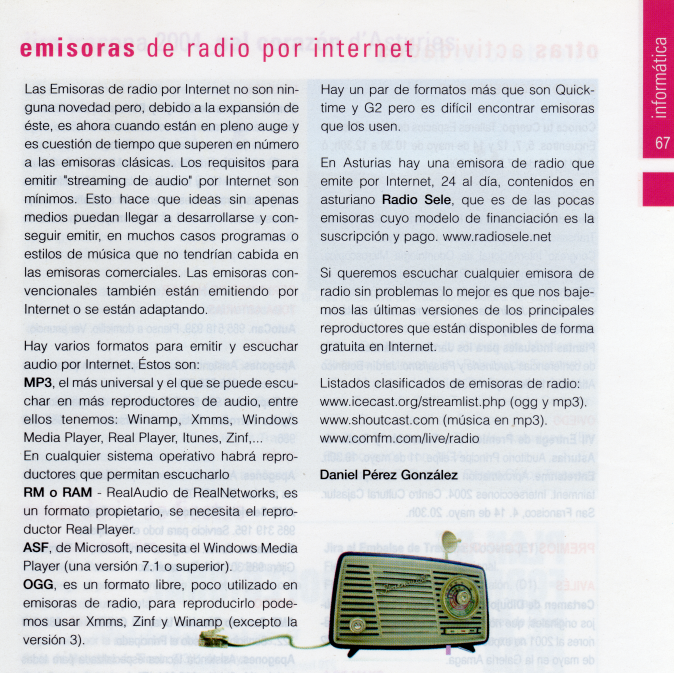
Video (Codecs) I y II
Articulo publicados en la 1ª quincena de Febrero de 2004

Articulo publicados en la 2ª quincena de Febrero de 2004

Licencia CC

Navegadores Web (año 2003/2004 - 5 entregas)
[ Entrega I - historia de los navegadores web ]
Publicado 2ª quincena de Noviembre de 2003

[ Entrega II - línea de fuego ]
Publicado 1ª quincena de Diciembre de 2003

[ Entrega III- duros aspirantes]
Publicado 2ª quincena de Diciembre de 2003

[ Entrega IV - Navegadores ultraligeros]
Publicado 1ª quincena de Enero de 2004

[ Entrega V - Comparativa]
Publicado 2ª quincena de Enero de 2004
Tabla comparativa con Navegadores web existentes en la fecha de publicación del articulo, que muestra disponibilidad por sistema operativo y las funciones más importantes (de las versiones disponibles en la fecha de publicación del articulo).

Licencia CC
miércoles, 3 de octubre de 2007


Suscribirse a:
Entradas (Atom)


